Course content can be imported/copied from an existing course to a new (empty) course shell in Canvas. This content may include assignments, modules, pages, and discussions from a previous Canvas course, or the entire course content and settings can be imported. Note: users can only import content from their own enrollments. Please note, it is not possible to import course content from a course in which a user is not listed as an instructor. In this case the faculty may submit an enrollment request, contact the CVPA ITC if you wish to submit an enrollment request.
Please note that if content is imported into a course that has existing assignments, quizzes, and general content, the existing content may be overwritten and lost. In some cases, the import completes and all content is preserved. However, this is not an advisable practice.
Importing Course Content
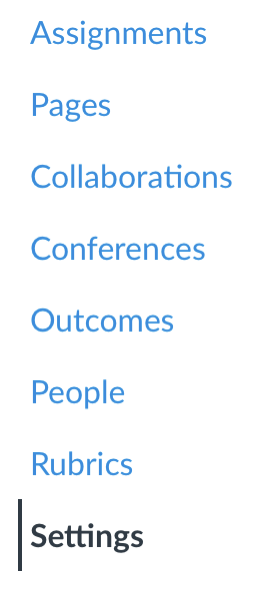
- Navigate to the course in which you would like to import the existing course content and click “Settings” in the course navigation.
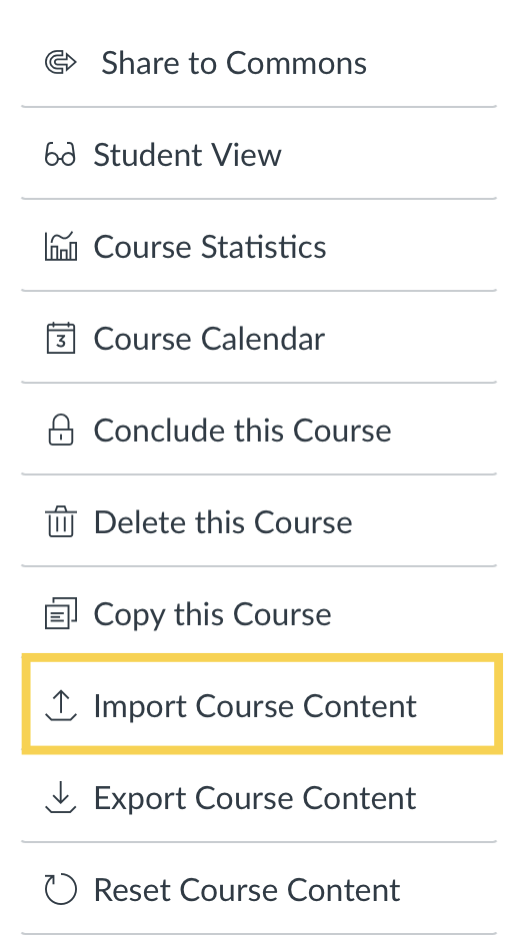
- In the right margin of the Settings page (or at the bottom of the page, depending on the size of the screen), click “Import Course Content.” The resulting page will then provide several options for importing course content.
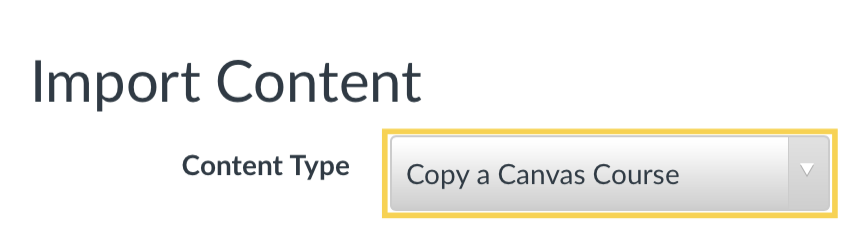
- Next to “Content Type,” click the drop down menu and select “Copy a Canvas Course.”
- The dialogue expands and presents several options. Begin typing the name of the course you wish to copy content from. The name should auto populate, click the course when it appears.
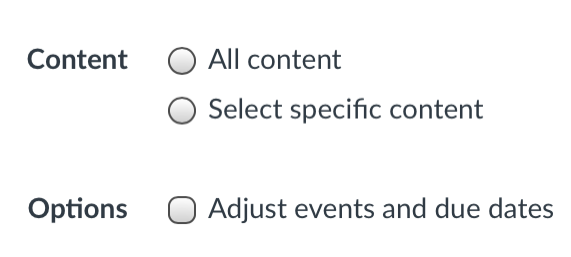
- Select whether “All content” or “specific content” should be imported.
- Select if events and due dates should be adjusted and whether you wish to shift dates or remove dates.
- Click “Import.” (Note: if “specific content” was selected, you must then click to select that content before the import will begin. Once the “Import” button is click, there will be an option to click “Select Content” and then select the specific content and then continue with the import.)
Additional Information
More information about importing, or copying, course content can be found in Instructure’s “How do I copy content from another Canvas course using the Course Import tool?” support document.
Other helpful documentation:
- What is the Course Import Tool
- “How do I copy content from another Canvas course using the Course Import tool?”
- Selecting Specific Content for Import
- How do I adjust events and due dates in a course import?