Featured Image Guidelines

The featured image will be the employee’s photo. A head and shoulder shot is recommended at a size of 750 px X 750 px. The portal currently rejects anything other than these dimensions.

Photos in the profiles should be as consistent as possible. They should also meet the same standards as photos for the Spartan Card.

  • Forward facing
  • Whole face/head
  • Head and shoulders only
  • No head coverings (except for religious observance) 
  • Light background
  • Color photos only
  • In focus
  • Centered
  • Good lighting
  • Natural facial expression
  • Only one person in photo
SpartanCard Image Examples of Good vs. Bad Headshots

IMPORTANT: Please be sure to create your images at the correct size and also optimize them to make the file as small as possible. There will be a lot of employees uploaded to the site and the smaller we can make each file the less storage space that will be needed. Assistance can be provided to optimize, but please provide images that can be cropped to the recommended ratio and meeting the UNCG guidelines.

Biography Template & Guidelines
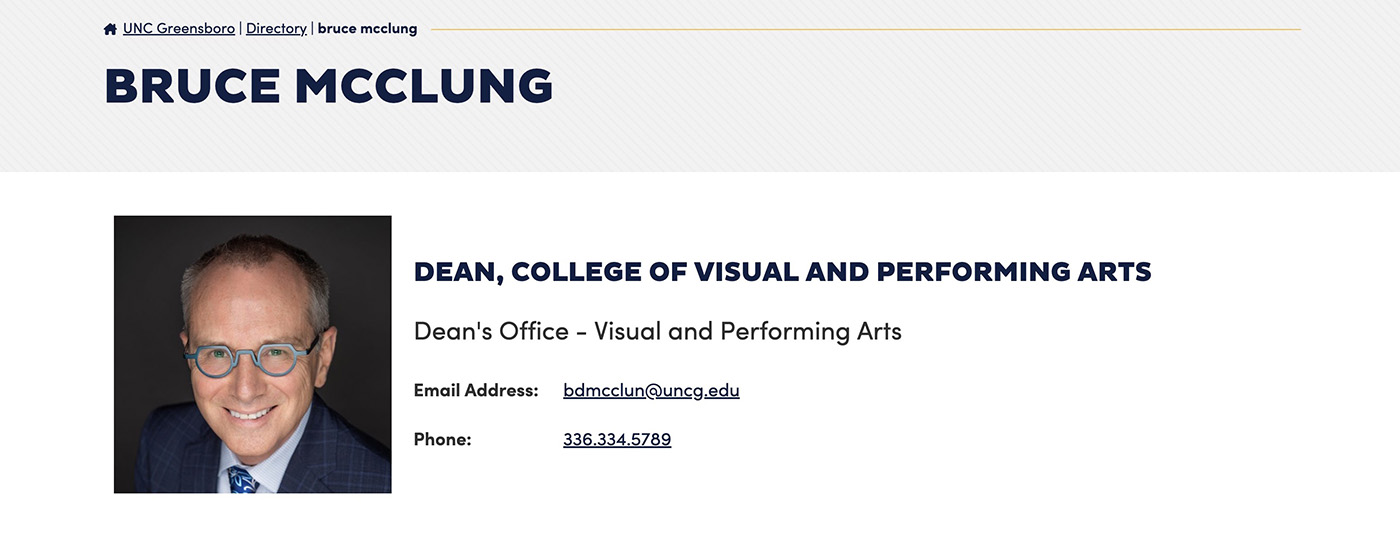
An example of the UNCG Directory page with override edits – Dean of CVPA, Dr. bruce mcclung

Information that can be added in the Employee Sidebar (override):

  • Professional Title. Please provide your current title.
  • Phone Override. This is available as some employees with front facing positions would rather have a front desk or main department number listed instead of their personal number. 

Faculty Bios

  1. Education (degrees listed in reverse chronological order)
  2. Biography (275-400 words)
  3. Subjects Taught
  4. Scholarly Creative/Research Activity
  5. Personal website (if applicable)

Preview Faculty Bio Template

Staff Bios

  1. Education (degrees listed in reverse chronological order)
  2. Biography (274-400 words)
  3. Areas of Responsibility

Bio Change Requests

To submit a change request for your biography, please fill out the following form: https://go.uncg.edu/web-request
Note: If you wish to include formatting (such as italics for publications), submit a Word document with your change request. The text field will not preserve anything beyond plain text.